Self-Hosting - Week 5 - Secure Remote Access
Need to access your self-hosted server from outside your home? Week 5 explains why traditional port forwarding fails in Japan (CGNAT) and how to use Tailscale and Cloudflare Tunnel for secure, professional-grade remote access.
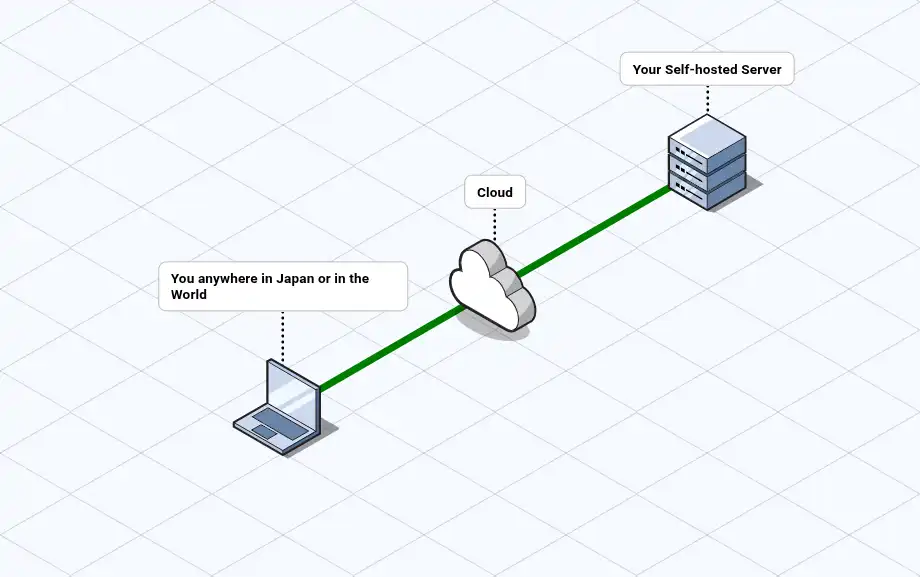
Self-Hosting Week 5: Secure Remote Access (Bypassing CGNAT and Opening Zero Ports)
In Week 4, we deployed your first applications. Your server is running Vaultwarden, Nextcloud, or both. It works perfectly.
But there’s a catch: it only works inside your home or office network.
What happens when you’re traveling, working from a café, or simply away from your desk? You need secure remote access. And if you live in Japan, you are likely going to hit a very specific, very frustrating wall: CGNAT (Carrier-Grade NAT).
A significant number of Japanese internet connections—including many NTT フレッツ光 (Flets Hikari) plans, mobile broadband routers, and shared fiber setups in apartment buildings (マンション共用回線)—operate behind CGNAT.
In simple terms, this means your router does not have a directly routable public IP address. The traditional method of remote server access—port forwarding—simply does not work. No matter how you configure your router, your server cannot be reached from the outside.
But don’t worry. The two solutions I recommend this week bypass CGNAT entirely, and they are significantly more secure than port forwarding anyway.
Solution 1: Tailscale (Private Remote Access)
Tailscale creates an encrypted mesh network between your devices, built on the modern, highly secure WireGuard protocol.
Once installed on your server and your other devices (your phone, your work laptop, your tablet), they form a private, virtual network. This network behaves exactly as if every device is plugged into the same local router, regardless of your actual geography.
What this means in practice: You are working from a coffee shop in Shibuya. You open your laptop, connect to Tailscale, and your self-hosted Vaultwarden, Portainer dashboard, and Nextcloud are accessible at their local IP addresses, exactly as they would be at home.
- No paid VPN service subscription.
- No open router ports.
- No public IP address exposed to the internet.
The Tailscale coordination server handles the initial key exchange and device discovery. After that, your traffic travels directly between your devices, encrypted end-to-end by WireGuard. Tailscale itself never sees your data in a readable form.
This is the exact configuration I deploy for every private self-hosted environment, from individual professionals to small business teams.
Solution 2: Cloudflare Tunnel (Public-Facing Services)
Not everything needs to stay private. If you want your family to access your shared Nextcloud photos, or you are hosting a public website or client portal on your server, you need a public URL.
Enter Cloudflare Tunnel.
Instead of opening an incoming port on your router, the cloudflared daemon installed on your server creates an outbound-only connection to Cloudflare’s global network. Cloudflare then proxies incoming web requests securely through that tunnel directly to your service.
- Your server’s true IP address is never revealed.
- You automatically inherit Cloudflare’s world-class, free DDoS protection.
- It works flawlessly behind CGNAT.
⚠️ One Important Limitation: Cloudflare’s Terms of Service restrict persistent, high-bandwidth video streaming through their free tunnel service. If you are planning to run Jellyfin or Plex for external media access, Cloudflare Tunnel is not the right tool for that specific use case. (For media, a traditional VPN like Tailscale is the correct choice).
The Professional Architecture: The Clean Boundary
So, which one should you choose? The professional answer is: both, for different purposes.
I recommend a strict, clean boundary between private and public access:
- Use Tailscale for everything internal and administrative. Your Portainer dashboard, Vaultwarden, SSH access, and admin panels should never be publicly accessible on the open internet. Tailscale keeps them strictly private.
- Use Cloudflare Tunnel for anything that legitimately needs a public URL. Shared Nextcloud folders for family, public-facing websites, or secure client portals.
Two tools. One clean, logical boundary. This is the modern professional standard for self-hosted infrastructure.
Your Week 5 Action Plan
- Set Up Tailscale: Create a free Tailscale account. Install the Tailscale client on your Ubuntu server (
curl -fsSL https://tailscale.com/install.sh | sh) and authenticate it. Install the Tailscale app on your phone and laptop. Verify you can access your server’s local IP from your laptop while disconnected from your home Wi-Fi. - Set Up Cloudflare Tunnel (Optional but Recommended): If you have a domain name, sign up for a free Cloudflare account. Install
cloudflaredon your server and route a subdomain (e.g.,cloud.yourdomain.com) to your local Nextcloud instance via the Cloudflare Zero Trust dashboard. - Audit Your Exposure: Ensure no ports are forwarded on your router for these services. Rely entirely on the tunnel and mesh network.
Need Help Navigating Japan’s Network Complexities?
Setting up secure remote access behind CGNAT can be tricky if you haven’t done it before. If you’re following this series from 群馬県 (Gunma), 埼玉県 (Saitama), or anywhere else in 日本 (Japan) remotely, and you want to ensure your remote access is configured securely and reliably, I offer dedicated consulting sessions. Let’s get you connected, safely.
[👉 Click here to book a 1-on-1 Remote Access & Network Consultation] (Link to your booking page)
What’s Coming in Week 6?
Your server is running, secure, and accessible from anywhere. But what happens if the laptop’s SSD fails, or you accidentally delete a critical file?
In Week 6: Backups & Disaster Recovery, we will implement the "3-2-1" backup rule for your self-hosted environment. We’ll cover automated, encrypted backups that ensure your data survives any hardware failure, ransomware attempt, or human error.
Let’s Hear From You
Are you dealing with CGNAT on your current internet connection? Have you tried Tailscale or Cloudflare Tunnel before? Share your setup or questions in the comments below!
Get in touch for a free initial consultation.
Feel free to reach out Contact Form
or
Here you can schedule a call with Pier Alberto.
calendly.com/pierinijp/30min