Self-Hosting - Week 4 - Docker Basics
4 weeks ago, it was an old laptop. Today, it's your personal cloud. Week 4 explains why Docker is the ultimate self-hosting tool and walks through deploying your first apps: Vaultwarden and Nextcloud.
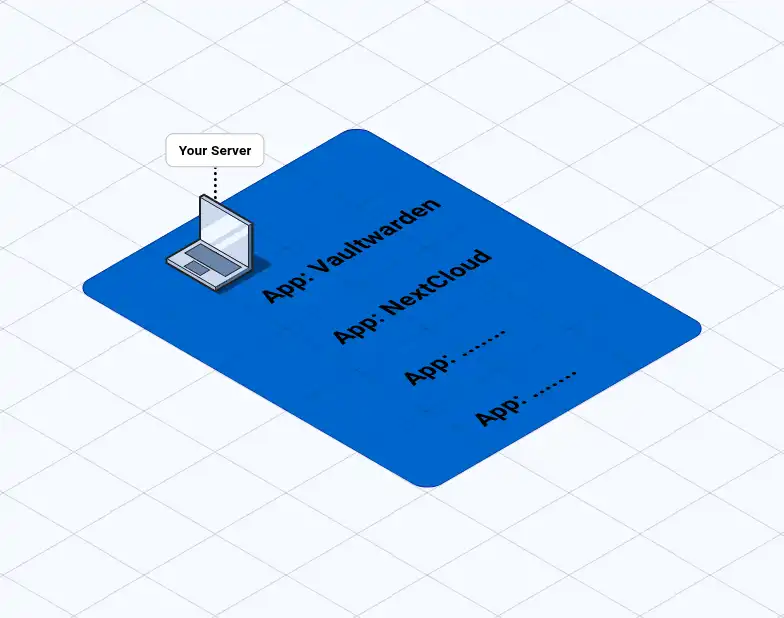
Self-Hosting Week 4: Deploying Your First Apps with Docker (From Old Laptop to Personal Cloud)
In Week 3, we locked down your new server with a four-layer security baseline. It’s online, it’s secure, and it’s waiting.
This week, the first application goes live.
Before we dive into the technical content, I want to take a moment to acknowledge something important. If you’ve followed this series from Week 1, you’ve made real, deliberate decisions. You chose your hardware, you selected your operating system, and you secured your network. Each week built on the last. This week, that foundation becomes a working, usable system.
4 weeks ago, it was just an old laptop. This week, it’s running your own private cloud.
The technology that makes this possible is Docker.
The Paradigm Shift: Why Docker Changes Everything
In 30 years of IT consulting, few tools have changed the way I deploy software as fundamentally as Docker.
Before Docker, installing an application on a server meant managing complex dependencies, resolving conflicts with other software, and constantly worrying about what a failed update might break. Experienced sysadmins built those troubleshooting skills over years of painful trial and error.
Docker collapses that complexity into a single, elegant concept: every application runs in its own isolated container, bundled with exactly everything it needs to function.
Instead of configuring a complex web of system-level dependencies, you use a single file—the docker-compose.yml—that describes exactly how an application should run.
- The container starts. It works.
- If something goes wrong, you remove it and start again.
- Your host server remains completely unaffected.
What We Install and Why
To get to this point, we need to install three specific things. Here is the exact stack I use for my clients:
1. Docker Engine (The Right Way)
We are installing Docker Engine directly from Docker’s official repository. Why? Ubuntu’s default package list includes an older, often outdated build of Docker. By bypassing the default Ubuntu repos and using the official source, we ensure we are running the current, fully maintained, and secure version of the engine.
2. Portainer Community Edition (The Game Changer)
Portainer CE is a free, open-source web interface for Docker management. Every container I’ve deployed for a business client in the past several years, I manage through Portainer—or I teach the client to manage it themselves through Portainer. It transforms Docker from an intimidating command-line tool into a clean, visual dashboard that a business owner can confidently interact with. It is the bridge between "IT expert" and "daily user."
The First Real Applications: High ROI & Immediate Impact
Now that the engine is running, what do we drive? I give my clients two primary recommendations for their very first deployment:
Recommendation A: Vaultwarden (Maximum Security ROI)
For business clients, this is my first choice. Vaultwarden is a lightweight, self-hosted, fully Bitwarden-compatible password manager.
- The Value: Your entire organization's password vault, heavily encrypted, stored on hardware you physically own, and accessible only to you.
- The Tech: Resource requirements are minimal; it runs on almost nothing. From a security consulting perspective, this is one of the highest-ROI installations available.
Recommendation B: Nextcloud (Maximum Visible Impact)
For clients who want to immediately feel the difference of self-hosting, Nextcloud is the answer. It replaces Google Drive, Dropbox, and Google Photos simultaneously.
- The Value: The moment a client's phone begins automatically backing up their photos and files to a server they own and control—rather than to a massive platform monetizing their data—the conversation about self-hosting changes permanently. It provides immediate, visible, daily impact.
Both of these applications are deployed via a docker-compose.yml file directly through Portainer's intuitive interface. Both run perfectly on the modest laptop we identified in Week 1. And both cost absolutely nothing beyond the electricity required to keep the server running.
Your Week 4 Action Plan
- Install Docker Engine: Remove any old/default Docker packages, add the official Docker GPG key and repository, and install the latest Docker Engine.
- Deploy Portainer: Run the official Portainer CE container via Docker. Log into its web interface using your server's local IP address.
- Deploy Your First App: Use Portainer’s "Stacks" feature to deploy either Vaultwarden or Nextcloud using a standard
docker-compose.ymltemplate. - Test Locally: Open the application in your web browser using your server's local IP and verify it is fully functional.
Need Help Building Your Private Cloud?
Transitioning from cloud-dependency to self-hosted independence is a major step. If you’re following this series from 群馬県 (Gunma), 埼玉県 (Saitama), or anywhere else in 日本 (Japan) remotely, and you want to ensure your infrastructure is built correctly, securely, and tailored to your exact workflow, I offer dedicated consulting sessions.
[👉 Click here to book a 1-on-1 Self-Hosting & Infrastructure Consultation] (Link to your booking page)
What’s Coming in Week 5?
Right now, your applications are running beautifully, but only inside your local network. What happens when you need to access your passwords or files from a cafe, a client site, or while traveling?
In Week 5: Remote Access & Secure External Connectivity, we will cover how to safely expose your server to the internet without opening dangerous ports. We’ll dive into Reverse Proxies, Domain Names, and automated HTTPS certificates to ensure your data is encrypted in transit.
Let’s Hear From You
Are you Team Vaultwarden (Security first!) or Team Nextcloud (Take back my data!) for your first deployment? Let me know in the comments below, and share any hurdles you hit during the Docker installation!
Get in touch for a free initial consultation.
Feel free to reach out Contact Form
or
Here you can schedule a call with Pier Alberto.
calendly.com/pierinijp/30min